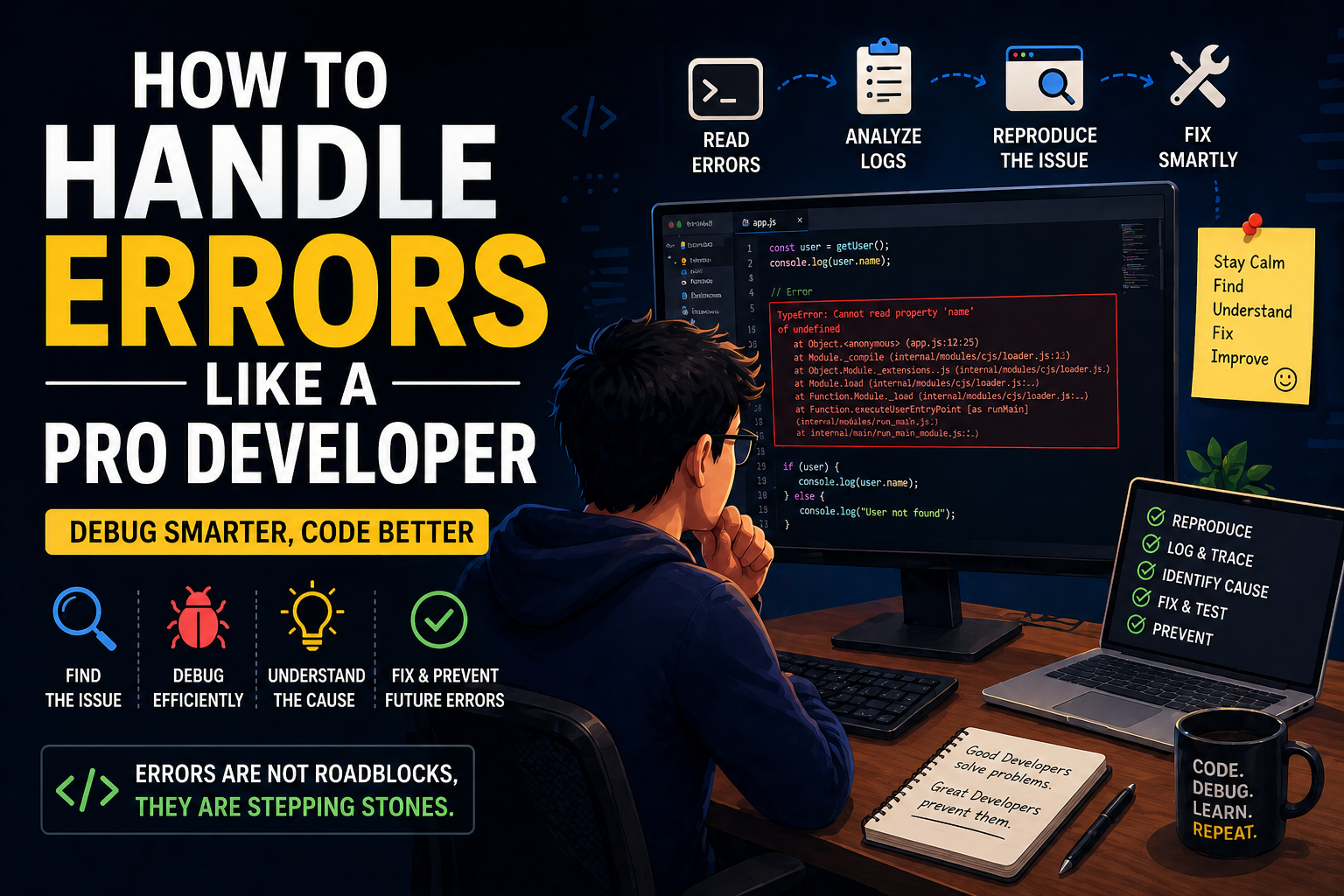
Let’s be real for a second…
If you’ve been coding for even a few weeks, you’ve already seen this:
Something went wrongAnd you just sit there like…
“Bhai WHAT went wrong?”
I’ve been there. A lot.
Early days mein, error aata tha toh main bas random fixes try karta tha:
- StackOverflow copy paste
- Restart server
- Change code blindly
Kabhi fix ho jaata tha… but mostly nahi.
And then one day, after wasting 4–5 hours on a simple bug, I realized:
The difference between a beginner and a pro developer is NOT coding…
It’s how they handle errors.
This blog is exactly about that.
No theory overload. No fancy words.
Just real-world understanding of how to handle errors like a pro developer.
What Does “Handling Errors Like a Pro” Actually Mean?
Simple language mein:
Not panicking when something breaks… and knowing exactly how to debug and fix it.
Pro developers:
- Don’t guess
- Don’t panic
- Don’t blindly copy
They:
- Understand the problem
- Break it down
- Fix root cause
My Experience
I remember working on an API.
Everything looked correct.
But response aa raha tha:
Internal Server ErrorThat’s it. No clue.
I tried everything:
- Restart server
- Change logic
- Reinstall dependencies
Nothing worked.
After hours, I added proper logging…
And found:
A simple undefined variable.
That day I learned:
Most errors are not complex. We just don’t know how to find them.
Types of Errors You’ll Face (And How to Think About Them)
Understanding types helps a LOT.
1. Syntax Errors
Example:
console.log("Hello"Missing bracket.
Easy to fix.
2. Runtime Errors
Code runs… but crashes.
Example:
let user = undefined;
console.log(user.name);
Boom.
3. Logical Errors
Worst type.
Code runs fine… but output wrong.
Example:
if (age > 18) {
  allow();
}
Should it be >=?
Hard to detect.
Step-by-Step: How Pro Developers Handle Errors
This is the real game.
Step 1: Don’t Panic (Seriously)
First instinct hota hai:
“Sab kharab ho gaya!”
Relax.
Error ≠ failure
Error = information
Step 2: Read the Error Message Properly
Most devs skip this.
Big mistake.
Error message tells:
- What failed
- Where failed
- Sometimes why
Example:
TypeError: Cannot read property 'name' of undefinedProblem clear hai.
Step 3: Check Stack Trace
Stack trace = roadmap
It tells:
- File
- Line number
- Function
Go directly there.
Step 4: Reproduce the Issue
If you can’t reproduce it…
You can’t fix it.
Ask:
- Kab error aa raha hai?
- Kis input pe aa raha hai?
- Consistent hai ya random?
Step 5: Use Console Logs (Underrated Skill)
Seriously.
Console logs are powerful.
Example:
console.log("user:", user);Track:
- Data flow
- Variable values
- Execution path
Step 6: Break the Problem
Don’t fix everything at once.
Divide:
- API issue?
- DB issue?
- Frontend issue?
Step 7: Check Recent Changes
Most bugs come from:
“Jo abhi change kiya”
Step 8: Google Smartly (Not Blindly)
Bad:
Copy paste solution
Good:
Understand problem + search context
Step 9: Fix Root Cause (Not Patch)
Bad fix:
if (user) console.log(user.name);Good fix:
Why is user undefined?
Step 10: Test Properly
After fix:
- Edge cases test karo
- Different inputs try karo
Real Debugging Example (Relatable)
Let’s say:
API returning empty data
Beginner approach:
- Change query
- Change code
- Try random fixes
Pro approach:
- Log DB response
- Check query
- Validate inputs
- Trace flow
Difference = clarity
Tools That Make You a Better Debugger
1. Browser DevTools
- Network tab
- Console
- Sources
2. Postman / Thunder Client
Test APIs easily.
3. Logging Tools
- console.log
- Winston
- Morgan
4. Debuggers
- VS Code debugger
- Breakpoints
Mistakes I Made (You’ll 100% Relate)
1. Panic Mode
Error aaya → frustration → random fixes
2. Not Reading Error
Direct Google.
3. Copy-Paste Fixes
Temporary solution… bigger problem later.
4. No Logging
Blind debugging.
5. Fixing Symptoms, Not Cause
What I Learned
After breaking things many times, these became my rules:
- Always read error message
- Always log data
- Always understand flow
- Never guess blindly
And biggest lesson:
Debugging is a skill. And it’s more important than coding.
Real Advice (From Experience)
If you want to become better:
1. Practice Debugging
- Intentionally break code
- Fix it
2. Slow Down
Speed se zyada clarity important hai.
3. Think Like a Detective
Ask:
- What changed?
- What broke?
- Why broke?
4. Don’t Fear Errors
Errors = learning opportunities
Real-Life Scenario
Let’s say you’re building:
A startup platform (like Uniqoor)
Without Debugging Skill:
- Bugs everywhere
- Slow fixes
- Frustration
With Debugging Skill:
- Fast fixes
- Stable product
- Confidence
Quick Debugging Checklist
Before asking for help:
- Read error message
- Check logs
- Reproduce issue
- Test inputs
- Check recent changes
My Thoughts
Handling errors like a pro is not about experience…
It’s about mindset.
- Stay calm
- Think clearly
- Debug step-by-step
Most developers struggle here…
If you master this, you’ll stand out instantly.
