A few years ago, if someone said:
“You can build an entire app without coding.”
most developers would laugh.
Honestly… even I used to think:
“Real apps need real code.”
But then the no-code and low-code world exploded.
And suddenly people were building:
- startups
- marketplaces
- SaaS products
- AI tools
- mobile apps
- automation systems
without writing traditional backend code.
Now before developers get angry…
let me say this clearly:
No-code tools are NOT replacing software engineers completely.
But they ARE changing how products get built.
Especially:
- MVPs
- internal tools
- startup validation
- automation workflows
- dashboards
- admin systems
And honestly?
Some of these tools are insanely powerful now.
In this article, I’ll explain the best tools to build full apps without coding — deeply, practically, and honestly.
Not hype.
Not fake “build Facebook in 5 minutes” nonsense.
Real insights from a developer/founder perspective.
By the end, you’ll understand:
- what no-code actually means
- what low-code means
- which tools are worth learning
- where no-code shines
- where it completely fails
- mistakes beginners make
- whether developers should worry or not
Let’s start from the beginning.
What Does “No-Code” Actually Mean?
No-code platforms allow people to build applications using:
- visual builders
- drag-and-drop systems
- workflows
- prebuilt logic
instead of traditional programming.
Think of it like:
building software using blocks instead of typing everything manually.
Examples:
- app builders
- workflow automation
- website generators
- database tools
The idea is:
- faster development
- less technical complexity
What Is Low-Code?
People mix these two constantly.
Here’s the simple difference.
No-Code
Designed for:
- non-developers
- founders
- creators
- beginners
Minimal coding required.
Low-Code
Still uses:
- visual systems
BUT allows:
- custom code
- APIs
- backend logic
More flexible and powerful.
Developers often prefer low-code over pure no-code.
Why No-Code Became So Popular
Honestly?
Because building software traditionally is HARD.
Very hard.
You need:
- frontend
- backend
- database
- hosting
- authentication
- APIs
- deployment
That’s overwhelming for beginners.
No-code platforms reduced this complexity massively.
Now people can:
- validate ideas quickly
- launch MVPs faster
- automate businesses
- build prototypes
without hiring huge engineering teams initially.
My Experience With No-Code Tools
I’ll be honest.
Initially I underestimated no-code heavily.
I thought:
“These tools are toys.”
Then I started seeing founders launch actual businesses using them.
Some were making:
- real revenue
- real SaaS products
- internal tools used by teams
That changed my perspective completely.
Now I see no-code as:
a speed multiplier.
Not a magic replacement for engineering.
That’s an important difference.
When No-Code Works Extremely Well
No-code shines in specific situations.
Especially:
- MVP development
- startup validation
- dashboards
- admin panels
- automation workflows
- internal tools
- landing pages
If your goal is:
“I need to test this idea fast.”
No-code is incredible.
When No-Code Becomes Painful
This part matters too.
No-code struggles with:
- highly custom logic
- advanced scaling
- complex backend systems
- heavy real-time apps
- deep performance optimization
Eventually some apps outgrow no-code.
And that’s okay.
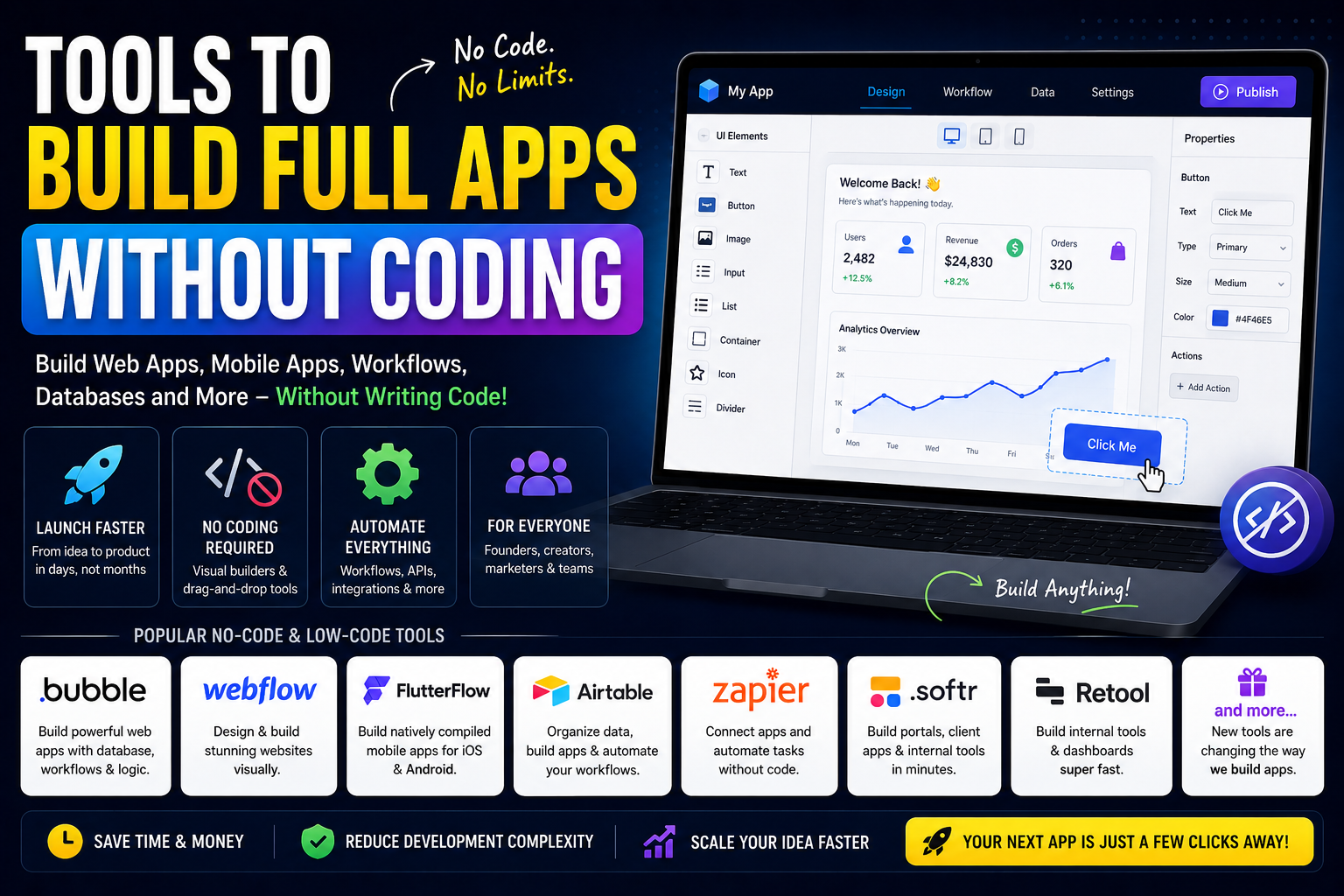
1. Bubble (Most Powerful No-Code App Builder)
Bubble is probably one of the most famous no-code platforms.
And honestly?
It’s surprisingly powerful.
You can build:
- marketplaces
- SaaS apps
- dashboards
- CRMs
- social platforms
without traditional coding.
Why Bubble Became Popular
Bubble combines:
- frontend builder
- backend workflows
- database management
all together.
That’s huge.
Most no-code tools only handle one part.
Bubble tries to handle everything.
Bubble Feels Weird Initially
Not gonna lie.
The first time I opened Bubble:
- interface looked overwhelming
- workflows felt confusing
- logic system felt strange
Because your brain expects:
“Where is the code?”
But once you understand its workflow system, things start clicking.
Best Use Cases for Bubble
Bubble is excellent for:
- MVP startups
- SaaS prototypes
- founder validation
- internal business apps
Not ideal for:
- extremely performance-heavy apps
2. Webflow (Beautiful Websites Without Coding)
Webflow changed frontend no-code development massively.
It allows designers and creators to build:
- responsive websites
- portfolios
- startup landing pages
- CMS blogs
visually.
And honestly…
Webflow-generated websites often look cleaner than many hand-coded beginner sites.
Why Developers Respect Webflow
Because Webflow actually respects:
- HTML structure
- responsive design
- animations
- clean layouts
It doesn’t feel “cheap” like old website builders.
3. FlutterFlow (Mobile Apps Without Full Coding)
FlutterFlow became very popular recently.
It helps build:
- Android apps
- iOS apps
- Firebase-integrated apps
using visual Flutter systems.
Very interesting tool.
Especially for startups needing mobile MVPs quickly.
My Thoughts on FlutterFlow
Honestly?
This is one of the few no-code tools that genuinely impressed me technically.
Because Flutter itself is powerful already.
FlutterFlow builds on top of that ecosystem.
4. Airtable (Spreadsheet + Database Hybrid)
Airtable is like:
spreadsheets on steroids.
Very useful for:
- managing data
- workflows
- content systems
- startup operations
A lot of no-code systems actually use Airtable as backend storage.
Why Airtable Became Huge
Because people understand spreadsheets.
Airtable adds:
- automation
- relational data
- APIs
- app integrations
without feeling overly technical.
5. Zapier (Automation King)
Zapier is insanely useful.
You can automate:
- emails
- forms
- databases
- Slack messages
- CRM actions
- AI workflows
without coding.
Example:
- user fills form
- data goes to Google Sheets
- email sends automatically
- Slack notification triggers
All automated.
Real-Life Automation Example
One founder I know automated:
- customer onboarding
- invoice generation
- welcome emails
- lead tracking
using only Zapier workflows.
No backend engineer initially.
That’s powerful.
6. Framer (Modern Website Builder)
Framer is becoming very popular among startups.
Why?
Because:
- websites look modern
- animations feel smooth
- editing feels intuitive
Many indie founders now launch startup landing pages using Framer.
7. Retool (Internal Tools Superpower)
Retool is amazing for:
- dashboards
- admin panels
- business tools
Instead of coding internal systems manually, teams assemble components visually.
Huge time saver.
Why Companies Love Retool
Because internal tools are important…
but usually boring to build manually.
Retool speeds this up massively.
8. Notion + No-Code Systems
This surprised me initially.
People now build:
- websites
- CRMs
- content systems
on top of Notion databases.
The ecosystem around Notion became massive.
Can You Build Real Startups With No-Code?
Short answer:
Yes.
But there’s nuance.
Many successful startups initially used:
- no-code
- low-code
- automation systems
to validate ideas quickly.
But eventually:
- some migrate to custom code
- some continue scaling successfully
Depends on product complexity.
Biggest Beginner Mistake
This is important.
Many beginners think:
“No-code means no learning.”
Wrong.
You still need to understand:
- product logic
- databases
- workflows
- user experience
- automation flow
No-code removes syntax…
not thinking.
Mistakes I Made While Exploring No-Code
Definitely made several.
1. Expecting Infinite Flexibility
At some point every platform has limitations.
Very important to understand.
2. Ignoring Scalability
Some workflows became messy very fast.
Visual systems can become chaotic too.
3. Choosing Tools Based on Hype
Big mistake.
Different tools solve different problems.
4. Underestimating Learning Curve
No-code still requires learning architecture and logic.
5. Thinking Developers Become Useless
Actually opposite.
Developers who understand no-code become MORE powerful.
What I Learned About No-Code
One major realization:
No-code is less about “replacing developers”…
and more about:
reducing development friction.
That’s the real shift happening.
Founders can validate faster.
Teams can automate faster.
Developers can prototype faster.
Everyone benefits differently.
No-Code vs Traditional Coding
Let’s be practical.
No-Code Advantages
- faster MVPs
- lower startup costs
- easier experimentation
- less infrastructure complexity
Traditional Coding Advantages
- full flexibility
- deep customization
- performance optimization
- advanced scalability
Neither is universally “better.”
Context matters.
Should Developers Learn No-Code?
Honestly?
Yes.
Because modern development increasingly combines:
- coding
- automation
- AI
- low-code systems
Developers ignoring these tools completely may fall behind workflow-wise.
Real Advice for Founders
If you’re a startup founder:
don’t spend 8 months building perfect version 1.
Validate quickly first.
No-code can help massively there.
Because many startup ideas fail due to:
- lack of validation
- overengineering
- slow execution
not lack of perfect backend architecture.
Real Advice for Developers
Don’t become defensive about no-code.
Instead:
- learn how to integrate it
- use it strategically
- automate repetitive systems
Smart developers use leverage.
The Future of No-Code + AI
This space is evolving insanely fast now.
AI tools combined with no-code platforms are changing software creation dramatically.
We’re moving toward:
- AI-generated workflows
- AI-generated UI
- AI-assisted backend systems
The next few years will be very interesting.
Will No-Code Replace Software Engineers?
No.
At least not fully.
Complex systems still require:
- architecture
- optimization
- security
- scalability
- custom engineering
But no-code WILL reduce the need for building everything manually from scratch.
That shift is already happening.
Note:
A few years ago, building apps required:
- large engineering teams
- expensive development
- months of coding
Now?
One person with the right tools can launch surprisingly powerful products.
That’s honestly amazing.
And while no-code platforms still have limitations, ignoring them completely would be a mistake.
Because the real power isn’t:
“No coding forever.”
The real power is:
- faster experimentation
- faster validation
- faster execution
And in startups especially…
speed matters a lot.
