Let’s be honest for a second.
Most developers today spend more time:
- debugging random errors
- reading documentation
- searching Stack Overflow
- rewriting repetitive code
- summarizing long articles
- fixing tiny syntax mistakes
than actually building cool things.
And this becomes even worse when you’re juggling:
- client work
- startup projects
- content creation
- learning new frameworks
- AI tools changing every week
A few years ago, browser extensions were mostly:
- ad blockers
- dark mode tools
- grammar checkers
Now?
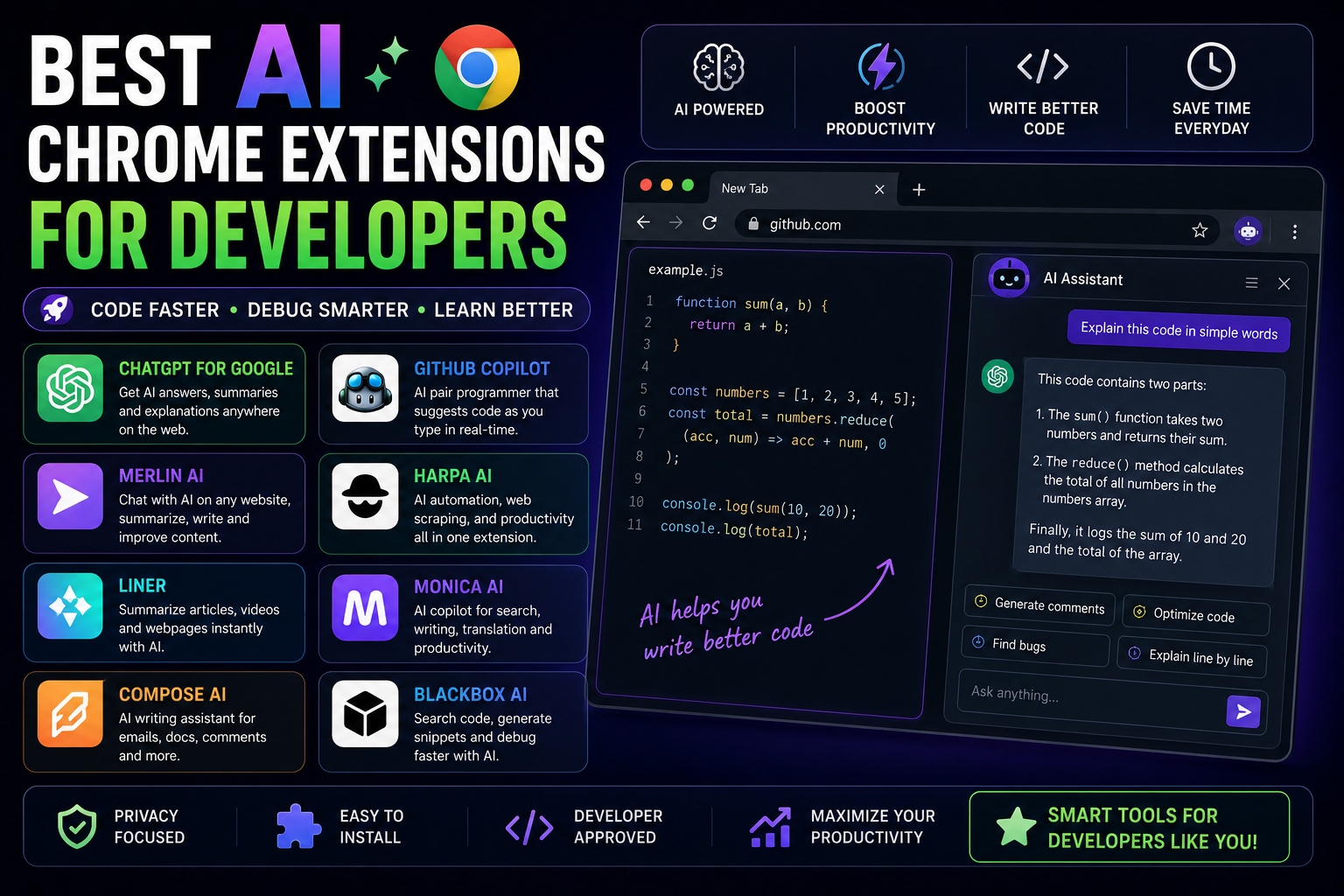
AI-powered Chrome extensions are becoming like mini developer assistants living inside the browser.
And honestly, some of them are ridiculously useful.
Not hype useful.
Actually useful.
I’ve tested many of these while working on development projects, researching APIs, writing blogs, debugging code, and managing startup-related work — and some genuinely improved my workflow.
In this article, I’ll explain the best AI Chrome extensions for developers, deeply and practically.
Not just:
“Top 10 AI tools!! ”
Instead:
- what they actually do
- where they help
- where they fail
- real productivity impact
- mistakes to avoid
Let’s start.
Why AI Chrome Extensions Became So Popular
Developers live inside browsers.
Think about it.
Daily browser activities:
- documentation
- GitHub
- Stack Overflow
- APIs
- dashboards
- ChatGPT
- deployment panels
- tutorials
- YouTube learning
So naturally AI extensions started integrating directly into workflows.
Instead of:
- switching tabs constantly
- copy-pasting everything
AI tools now assist directly inside the browser.
That’s the real shift.
My Experience With AI Developer Extensions
Initially I avoided most AI browser tools.
Because honestly…
many early AI extensions were:
- gimmicky
- inaccurate
- bloated
- privacy nightmares
But over time some tools became genuinely practical.
Especially for:
- summarizing documentation
- generating boilerplate
- explaining errors
- improving productivity
- speeding repetitive tasks
The key lesson I learned:
AI extensions are best when they reduce friction, not when they try replacing thinking completely.
That distinction matters a LOT.
1. ChatGPT Chrome Extension Integrations
Let’s start with the obvious one.
Many developers now use ChatGPT browser integrations for:
- code explanations
- quick debugging
- regex generation
- SQL queries
- summarizing docs
- writing scripts
And honestly…
having AI accessible instantly inside browser tabs feels incredibly convenient.
Where It Helps Most
I personally find it useful for:
- understanding unfamiliar code
- quick brainstorming
- explaining errors
- simplifying complex docs
Especially late-night debugging sessions.
You know those moments:
“Why is this API returning undefined again?”
AI assistance becomes surprisingly helpful there.
Biggest Mistake Developers Make With AI
This is important.
Many beginners now:
- blindly paste code
- trust outputs completely
- stop learning fundamentals
Very dangerous.
AI should accelerate understanding…
not replace it.
Otherwise debugging becomes impossible later.
2. GitHub Copilot
This one changed developer workflows massively.
GitHub Copilot predicts:
- functions
- boilerplate
- repetitive code
- patterns
directly while coding.
Honestly, the first time it completed an entire function correctly, it felt slightly scary.
Where Copilot Actually Shines
Copilot is excellent for:
- repetitive coding
- CRUD operations
- boilerplate
- autocomplete acceleration
Especially in:
- React
- Node.js
- Python
- TypeScript
Huge time saver.
Where Copilot Struggles
Sometimes it:
- invents APIs
- suggests bad patterns
- creates insecure logic
- confidently writes wrong code
Which is honestly funny sometimes.
You still need engineering judgment.
Very important.
3. Merlin AI
Merlin became popular because it works across:
- websites
- Gmail
- YouTube
- Google Search
Useful for:
- summarizing
- replying
- quick AI prompts
Good productivity-focused extension.
Why Developers Like It
Because it reduces:
- tab switching
- repetitive writing
- manual summarization
Especially useful during research-heavy work.
4. HARPA AI
This extension is honestly underrated.
It combines:
- ChatGPT-style assistance
- browser automation
- page interaction
- AI workflows
Interesting tool for power users.
Real Use Cases
Developers use it for:
- scraping summaries
- monitoring pages
- SEO workflows
- automation tasks
Feels more like:
AI assistant + automation engine combined.
5. Compose AI
While not developer-only, it’s surprisingly useful.
Especially for:
- technical emails
- GitHub comments
- documentation
- client communication
And let’s be honest…
Many developers hate writing formal messages.
This helps.
6. Sider
Sider works like:
- floating AI assistant inside browser
Good for:
- quick code explanations
- summarization
- translations
- browsing help
Simple concept.
Practical workflow.
7. Monica
Monica became popular among productivity-focused users.
Features include:
- AI chat
- code generation
- summarization
- writing support
Works across websites.
Feels similar to having ChatGPT embedded everywhere.
8. Blackbox AI
This tool focuses heavily on developers.
Useful for:
- code generation
- code search
- snippets
- debugging help
Especially beginner developers like it because:
- answers feel coding-focused
My Honest Experience With AI Coding Tools
Some days these tools genuinely save:
- hours of repetitive work
Other days:
- they confidently generate nonsense.
That inconsistency is important to understand.
AI coding tools are strongest when:
- accelerating known patterns
They struggle more with:
- deep architecture
- business logic
- edge cases
9. Liner
Very useful for:
- research
- article summaries
- technical reading
Developers constantly consume information.
Liner speeds this process up nicely.
10. WebChatGPT
This became popular because it helps bring web context into AI workflows.
Useful for:
- fresher answers
- web-assisted AI research
- current information
Especially practical for:
- framework updates
- latest docs
- API changes
Why Developers Love AI Extensions
The real reason is simple:
Developers lose huge amounts of time on:
- context switching
- repetitive tasks
- searching
- documentation overload
AI extensions reduce that friction.
That’s the real productivity gain.
AI Extensions vs Real Learning
This topic matters a lot.
I’ve seen beginners become overdependent on AI very quickly.
Bad idea.
Because eventually:
- AI suggestions fail
- bugs become complex
- architecture matters
And without fundamentals:
everything collapses.
The best developers use AI like:
a smart assistant
not:
a replacement brain.
Mistakes I Made Using AI Extensions
Definitely made several.
1. Installing Too Many Extensions
Huge mistake.
Browser became:
- slow
- cluttered
- distracting
Now I keep only genuinely useful ones.
2. Trusting AI Too Quickly
Some generated code looked correct…
but broke badly later.
Always verify important logic.
3. Using AI for Everything
At one point I noticed:
- problem-solving ability decreasing slightly
because AI handled too much.
That balance matters.
4. Ignoring Privacy Risks
Very important.
Some extensions:
- collect browser data
- monitor pages
- send content externally
Be careful what tools you install.
5. Using AI Before Thinking
Best workflow:
- Think yourself
- Attempt solution
- Use AI to accelerate
Not the reverse.
What I Learned About AI Productivity
One major realization:
The biggest productivity boost doesn’t come from:
“AI writing everything.”
It comes from:
- reducing friction
- reducing repetitive work
- accelerating research
- improving flow state
That’s where AI shines best right now.
AI Extensions That Actually Feel Worth It
If I had to recommend practical categories:
For Coding
- GitHub Copilot
- Blackbox AI
For Research
- Liner
- WebChatGPT
For Productivity
- Merlin
- Monica
- HARPA AI
For Writing
- Compose AI
Simple setup.
Less clutter.
Should Beginners Use AI Coding Tools?
Honestly?
Yes.
But carefully.
AI can help beginners:
- understand concepts
- debug faster
- learn patterns
But beginners MUST still:
- practice manually
- understand logic
- read documentation
Otherwise growth becomes shallow.
The Future of AI Browser Extensions
This space is evolving insanely fast.
We’re moving toward:
- AI-native browsers
- autonomous workflows
- browser agents
- AI-assisted research systems
Soon browsers themselves may become:
active assistants instead of passive tools.
That shift has already started.
Will AI Replace Developers?
This question appears everywhere now.
My answer?
AI will absolutely change development workflows.
But:
- architecture
- creativity
- system thinking
- product decisions
- debugging complex systems
still require humans heavily.
Developers using AI effectively will probably outperform developers ignoring it completely.
That’s the more realistic future.
Real Advice for Developers
Don’t chase every new AI extension.
Most are temporary hype.
Instead:
- find tools solving real problems
- improve your workflow gradually
- stay focused on fundamentals
Because ultimately:
good engineering still matters more than fancy automation.
Always.
Note:
AI Chrome extensions are becoming surprisingly useful for developers.
Not because they magically build perfect apps…
but because they:
- reduce repetitive work
- accelerate learning
- improve workflows
- simplify research
- save mental energy
And honestly…
once you find the right AI workflow for your daily development process, it becomes difficult to go back.
The key is balance.
Use AI as:
- accelerator
- assistant
- productivity layer
not as:
- replacement for thinking.
That mindset changes everything.
