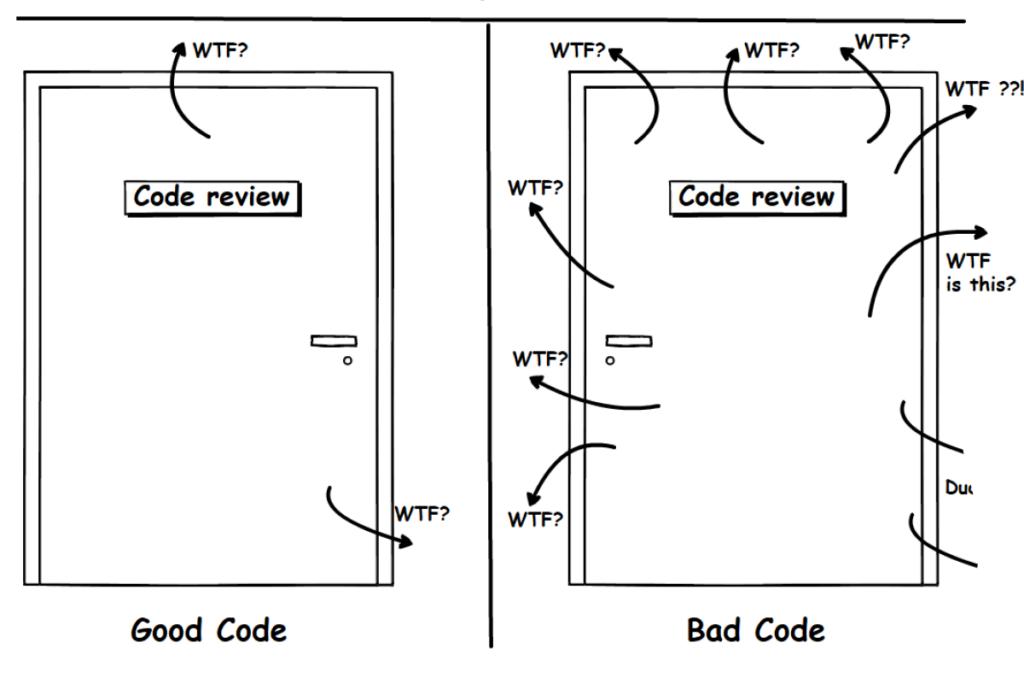
Let me start with something that might hit you hard…
You write code. It works. You feel good.
Then after 2 weeks, you open the same file again… and suddenly you’re like:
“What the hell did I even write here?”
Yeah… same happened to me.
That’s the moment you realize — working code ≠ good code.
And this is exactly where clean code principles come in.
This article is not going to be some boring theory dump. I’ll walk you through what clean code actually means, how I learned it (the hard way), mistakes I made, and how you can start writing better code today.
Why Clean Code Actually Matters (Not Just Theory)
Most beginners think:
“If my code runs, it’s fine.”
But real-world development doesn’t work like that.
Because:
- You revisit your code
- Other developers read your code
- You debug your own code later
Reality:
Code is read more than it is written
If your code is messy:
- Debugging becomes painful
- Scaling becomes difficult
- Teamwork breaks
Clean code is not about being perfect.
It’s about being understandable.
What is Clean Code?
Clean code means:
Code that is easy to read, understand, and modify
Not:
- Fancy
- Over-optimized
- Over-engineered
Just:
Simple and clear
My Experience (This Changed Everything)
In my early days, I used to write code like this:
JavaScript Code:
let x = a + b * c – d;
It worked.
But later when I came back… I had no idea what x was.
Then I started writing like this:
JavaScript Code:
let totalPrice = basePrice + tax * quantity – discount;
Same logic.
But now it actually makes sense.
That’s when I realized:
Clean code is not about the computer understanding it…
It’s about humans understanding it.
Mistakes I Made
Let’s be real. I messed up a lot.
1. Writing short variable names
Used x, y, temp everywhere.
2. Ignoring structure
Everything inside one file. No separation.
3. Copy-paste coding
Same logic repeated in multiple places.
4. Overcomplicating things
Tried to write “smart” code instead of simple code.
What I Learned
- Simple code wins
- Readability > cleverness
- Naming matters more than you think
- Future you will thank present you
Clean Code Principles (That Actually Matter)
Now let’s get practical.
Use Meaningful Variable Names
Bad:
JavaScript Code:
let d;
Good:
Why it matters:
- Anyone can understand instantly
- No guessing required
Rule:
If you need to explain your variable, rename it.
Keep Functions Small
Big mistake:
JavaScript Code:
function processData() {
// 100 lines of code
}
Better:
JavaScript Code:
function calculateTotal() {}
function saveData() {}
Why?
- Easier to debug
- Easier to reuse
- Easier to test
One function = one responsibility
Avoid Deep Nesting
Bad:
JavaScript Code:
if (user.isActive) {
if (user.hasSubscription) {
// logic
}
}
}
Better:
JavaScript Code:
if (!user || !user.isActive || !user.hasSubscription) return;
// logic
Why?
- Cleaner
- Easier to read
Don’t Repeat Yourself (DRY Principle)
Bad:
JavaScript Code:
let total1 = price * 1.18;
let total2 = amount * 1.18;
Better:
return value * 1.18;
}
Why?
- Less duplication
- Easier updates
Write Comments Only When Needed
Bad:
JavaScript Code:
// add 2 numbers
let sum = a + b;
Good:
Rule:
Good code explains itself
Comments explain “why”, not “what”
Consistent Formatting
Don’t do this:
JavaScript Code:
if(x>10){console.log(“Hi”)}
Do this:
console.log(“Hi”);
}
Why?
- Looks clean
- Easy to scan
Use Proper File Structure
Bad:
- Everything in one file
Good:
- Separate files:
- controllers
- services
- routes
Structure reduces chaos
Handle Errors Properly
Bad:
JavaScript Code:
try {
// code
} catch (e) {}
Good:
// code
} catch (error) {
console.error(“Something went wrong:”, error);
}
Why?
- Easier debugging
- Better reliability
Avoid Magic Numbers
Bad:
JavaScript Code:
if (score > 37) {}
Better:
const PASSING_SCORE = 37;
if (score > PASSING_SCORE) {}
Write Code for Humans, Not Just Machines
This is the most important principle.
Ask yourself:
“If someone else reads this, will they understand it?”
If not — rewrite it.
Real-Life Example (Before vs After)
Before:
JavaScript Code:
if (x > 100) {
console.log(“ok”);
}
After:
JavaScript Code:
let finalAmount = price * quantity – discount;
if (finalAmount > 100) {
console.log(“Eligible for processing”);
}
Same logic
Better clarity
Real Advice (From Experience)
If you want to become a better developer:
- Stop writing code just to “make it work”
- Start writing code to “make it understandable”
Because in real jobs:
Clean code matters more than fast code
Step-by-Step How to Improve Your Code
Follow this simple process:
Step 1:
Write working code
Step 2:
Refactor it
Step 3:
Rename variables
Step 4:
Break large functions
Step 5:
Remove duplication
Repeat this habit daily
Why Clean Code Matters for Your Career
Developers who write clean code:
- Get better opportunities
- Work in better teams
- Build scalable products
Messy code = messy career growth
My Advice
Here’s the truth:
Clean code is not a skill you learn once.
It’s a habit.
You won’t write perfect code from day one.
But if you stay consistent, you’ll improve faster than most developers.
And one day…
You’ll open your old code and think:
“Damn… this actually looks good.”
