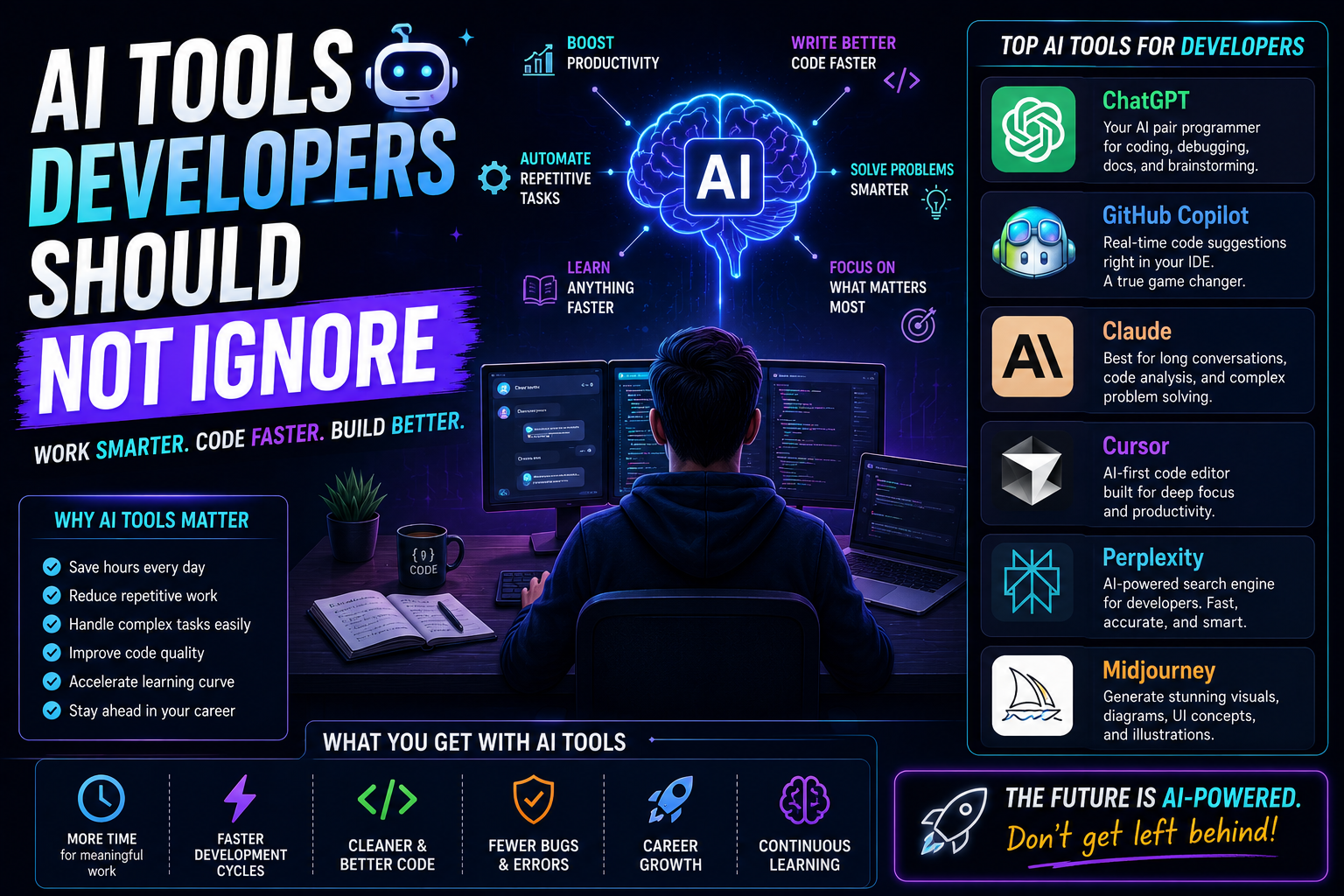
A few years back, if someone told me that an AI assistant would help me debug code, draft documentation, unpack unfamiliar frameworks, whip up SQL queries, craft test cases, and even help map out startup ideas … I would’ve probably laughed, a little too hard.
Not because it sounded impossible.
More because it sounded , exaggerated? Like, come on.
Back then, developing felt kind of linear
You searched Google.
You opened Stack Overflow.
You read the docs.
You watched tutorials.
You spent three hours trying to fix a bug that was only there because a semicolon went missing
So yeah, it was “simple”.
Painful sometimes, sure, but simple.
Then AI tools showed up.
At first I ignored them.
Honestly I figured most of them were hype.
Another tech trend. Another marketing wave. Another shiny thing developers would obsess over for six months, then quietly forget.
I was wrong.
Very wrong.
Today, AI tools are sitting inside my everyday workflow.
Not because they replace developers.
They don’t.
Not even close.
What they do is remove friction, the small stuff that slows you down without you noticing it.
And if you have ever spent, four hours debugging something only to learn the “mystery” was just a typo, you already get how valuable that is. Like, relief levels are high.
Here’s the twist though: a lot of developers are still using AI in a way that kinda misses the point.
Some people ignore it completely.
Others treat every output like it’s flawless, like it can’t possibly be off by a comma, or a logic step, or anything real.
Both styles cause trouble.
This isn’t about swapping developers with AI.
It’s about figuring out which AI tools developers should actually pay attention to, how they slot into normal workflows, where they genuinely help, where they go sideways, and what I learned after using them across projects, startups, client work, and those ordinary days where you just want the thing to compile.
Because whether we like it or not, AI is becoming part of modern software development.
And developers who learn to use it effectively, they get a real advantage.
Why This Topic Matters
Something changed in software development over the last few years.
The bottleneck isn’t always coding anymore.
Often it’s:
- research
- documentation
- debugging
- learning new technologies
- writing repetitive code
- project planning
Developers spend huge amounts of time outside actual coding.
That’s where AI becomes interesting.
Not because it writes entire applications.
Because it accelerates supporting tasks.
Think about it.
If an AI tool saves:
- 20 minutes daily
- 1 hour daily
- 2 hours daily
That compounds quickly.
Over weeks and months, the difference becomes massive.
Especially for:
- freelancers
- solo founders
- indie hackers
- startup builders
- students
Time is usually the most limited resource.
My Experience: from skeptic to daily user
At first, I was using AI tools mostly out of plain curiosity, you know. Just simple questions, a few small code snippets, nothing that felt like it mattered much. I was kind of treating it like a sketchpad almost.
Then one day I got stuck debugging an API integration issue, and the whole thing ate up pretty much the entire afternoon. The docs weren’t really helping, not even a little. I tried search results too, and somehow that still didn’t click. So, out of frustration, I just pasted the code into an AI assistant.
And within minutes, it pointed at a configuration issue that I had totally overlooked . Like somehow it was right there the whole time, but I didn’t see it.
That moment changed everything, I mean not because the AI instantly fixed it all for me. It didn’t do that. It just accelerated the investigation part, the actual work.
Honestly, thats where most of the value comes from. AI isn’t replacing problem-solving, it’s helping me navigate complexity faster.
The Biggest Mistake Developers Make With AI
There’s one mistake I see constantly.
Developers fall into two extreme groups.
Group One:
“AI is useless.”
Group Two:
“AI can do everything.”
Both groups are wrong.
AI is a tool.
A powerful one.
But still a tool.
Using AI effectively requires judgment.
Sometimes AI suggestions are brilliant.
Sometimes they’re confidently wrong.
Learning the difference becomes an important skill.
AI Tool #1: ChatGPT
Let’s start with the obvious one.
ChatGPT completely changed how many developers learn.
I use it regularly for:
- debugging ideas
- architecture discussions
- learning concepts
- project planning
- documentation summaries
- code explanations
One thing I appreciate is how conversational learning becomes.
Instead of reading ten articles, you can ask:
“Explain JWT authentication like I’m building my first startup.”
That context-aware learning is incredibly valuable.
Still, I never blindly trust generated code.
Verification matters.
Always.
AI Tool #2: GitHub Copilot
GitHub Copilot feels different.
Instead of chatting, it assists while coding.
The first time I used Copilot seriously, it felt strange.
Almost like pair programming with someone who types extremely fast.
It shines particularly well for:
- repetitive code
- boilerplate
- common patterns
- CRUD operations
- tests
What surprised me most wasn’t code generation.
It was momentum.
Development flow became smoother.
Fewer interruptions.
More focus.
That’s valuable.
AI Tool #3: Claude
Claude became one of my favorite tools for large-context tasks.
Especially when dealing with:
- lengthy documentation
- project analysis
- architecture discussions
- code reviews
Sometimes traditional search becomes overwhelming.
Claude helps organize complexity into understandable explanations.
That makes learning faster.
Particularly for unfamiliar technologies.
AI Tool #4: Cursor
Cursor created significant buzz among developers for a reason.
It combines coding and AI more tightly than traditional editors.
What impressed me wasn’t automatic code generation.
It was contextual understanding.
Being able to discuss code directly inside the editor changes workflow significantly.
Especially in larger projects.
AI Tool #5: Perplexity
Research can be surprisingly time-consuming.
Perplexity helps gather information quickly while providing sources.
I often use it when:
- comparing technologies
- researching tools
- validating information
- exploring unfamiliar topics
It’s not perfect.
But it frequently reduces research time considerably.
AI Tool #6: Bolt and Lovable
These tools became popular among startup founders and indie hackers.
Why?
Speed.
They help generate prototypes quickly.
I think they’re most useful for:
- MVP validation
- experimentation
- early-stage ideas
Not necessarily production systems.
But for testing concepts quickly?
Very useful.
AI Tool #7: Midjourney and Image Generation Tools
Developers often ignore visual content.
Big mistake.
Modern projects frequently need:
- landing page graphics
- illustrations
- thumbnails
- social content
AI image generation dramatically speeds up creative workflows.
Especially for solo founders.
I’ve seen startup teams save significant design costs through smart usage of these tools.
Biggest Mistakes I Made
Blindly Trusting AI Code
This mistake happens to almost everyone.
Generated code looks convincing.
Sometimes too convincing.
I learned quickly:
AI-generated code must be reviewed.
Always.
Bugs still exist.
Security issues still exist.
Optimization issues still exist.
Treat generated code like junior developer contributions.
Review carefully.
Using AI Before Understanding Fundamentals
This was another mistake.
AI can accelerate learning.
It cannot replace foundational understanding.
Developers still need:
- JavaScript fundamentals
- databases
- networking
- architecture
Otherwise debugging becomes impossible
Overusing AI for Simple Problems
Interesting lesson.
Sometimes asking AI takes longer than solving issue manually.
Not every task needs AI assistance.
Balance matters.
What I Learned About AI Productivity
A few lessons became obvious after months of daily usage.
AI Is Best for Acceleration
The biggest productivity gains come from acceleration.
Examples:
- faster learning
- faster research
- faster prototyping
- faster debugging
That’s where AI consistently shines.
AI Doesn’t Eliminate Thinking
Some developers worry AI will make programming skills obsolete.
I don’t see it that way.
Complex software still requires:
- judgment
- architecture decisions
- tradeoffs
- business understanding
Those responsibilities remain.
AI assists.
Humans decide.
Communication Skills Became More Valuable
This surprised me.
Prompting effectively requires clarity.
Developers who communicate well often get better results.
Interesting side effect.
Practical Workflow I Use Daily
A typical development workflow now looks something like this:
Step 1: Define Problem
Understand issue first.
Don’t immediately ask AI.
Think.
Analyze.
Identify context.
Step 2: Use AI for Exploration
Ask questions.
Discuss approaches.
Explore possibilities.
Step 3: Implement Solution
Write code.
Review outputs.
Test everything.
Step 4: Verify
Never skip verification.
This step matters enormously.
Step 5: Refine
Improve architecture.
Improve readability.
Improve performance.
AI helps throughout process.
But thinking remains central.
Common Beginner Mistakes
Copy-Pasting Without Understanding
Probably the most dangerous habit.
Generated code isn’t knowledge.
Understanding matters.
Always ask:
Why does this work?
What problem does it solve?
Ignoring Documentation
AI is helpful.
Official documentation remains essential.
Especially for:
- APIs
- frameworks
- security practices
Documentation and AI work best together.
Chasing Every New AI Tool
The AI landscape changes constantly.
New tools appear weekly.
Beginners often waste time chasing trends.
Master a few tools deeply instead.
Real Advice for Developers
If you’re currently learning development, don’t fear AI.
Learn it.
Understand it.
Experiment with it.
But don’t become dependent on it.
Strong developers combine:
- technical fundamentals
- practical experience
- AI productivity
That combination becomes incredibly powerful.
The Future of AI in Development
I don’t think developers are disappearing.
I think developer workflows are evolving.
Tasks becoming easier:
- boilerplate generation
- documentation creation
- debugging assistance
- testing support
Tasks becoming more valuable:
- architecture
- product thinking
- system design
- communication
- business understanding
The role is changing.
Not vanishing.
Frequently Asked Questions
Will AI replace developers?
Not in the way many headlines suggest.
Development involves much more than writing code.
Problem-solving remains central.
Should beginners use AI?
Yes.
But responsibly.
Use AI to learn faster.
Not to avoid learning.
What’s the best AI tool for developers?
There isn’t a universal answer.
Different tools excel at different tasks.
Many developers combine:
- ChatGPT
- GitHub Copilot
- Claude
- Cursor
Depending on workflow.
Final Thoughts
Ignoring AI today feels similar to ignoring the internet during the early web era.
You can do it.
But you’re probably creating unnecessary disadvantages.
The goal isn’t replacing your skills.
The goal is amplifying them.
AI tools help reduce repetitive work.
Accelerate learning.
Speed up experimentation.
Improve productivity.
Those benefits are real.
At the same time, strong fundamentals remain irreplaceable.
The developers who thrive over the next decade probably won’t be the ones who reject AI.
And they won’t be the ones who blindly depend on it either.
They’ll be the ones who understand both technology and judgment.
That’s where the real advantage lives.
