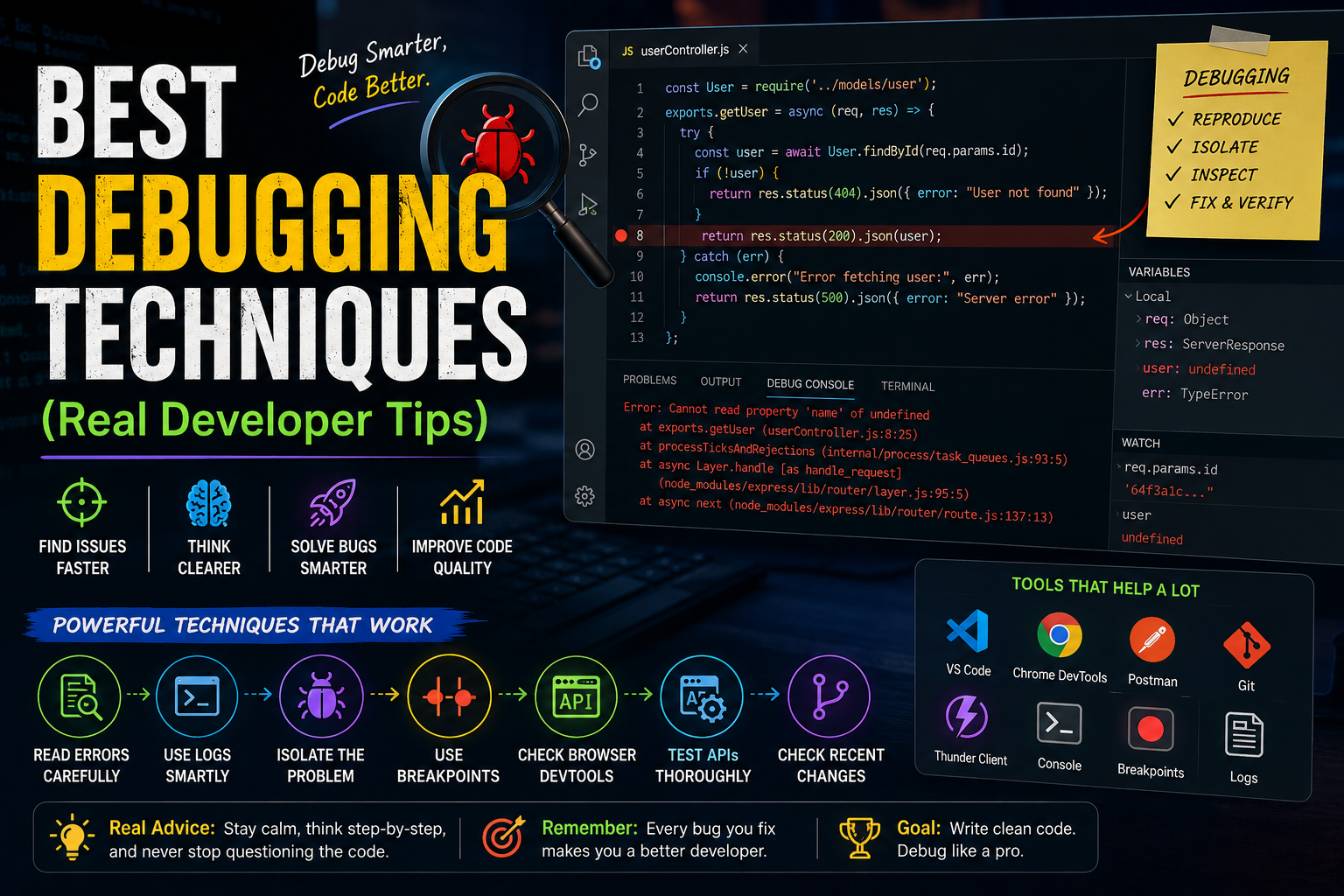
Let’s be honest.
Debugging is where developers spend a huge part of their life.
Not coding.
Not designing.
Not deploying.
Debugging.
And when you’re learning development, debugging can feel mentally exhausting.
You write code for:
- 20 minutes
then spend:
- 3 hours fixing one stupid bug caused by:
- missing semicolon
- wrong import
- undefined variable
- async issue
- typo hidden in 500 lines
Honestly, every developer has experienced that pain.
I still remember one night while building a backend API for a project.
Everything looked correct.
Routes looked fine.
Database connection worked.
But requests kept failing.
I spent HOURS checking:
- controllers
- middleware
- database queries
- environment variables
You know what the actual issue was?
One tiny typo in the route path.
That moment taught me something important:
Most debugging problems are not “hard.”
They’re usually hidden.
And debugging itself is a skill.
A very important one.
In this article, I’ll explain the best debugging techniques real developers actually use, deeply and practically — not generic textbook advice.
We’ll cover:
- debugging mindset
- practical techniques
- frontend debugging
- backend debugging
- API debugging
- mental strategies
- mistakes beginners make
- real developer experiences
Let’s start.
Why Debugging Feels So Difficult
Because bugs attack your confidence.
Especially beginner developers.
You start thinking:
“Maybe I’m not smart enough for programming.”
But honestly?
Even experienced developers debug constantly.
The difference is:
- experienced developers panic less
- they follow systems
That’s the real skill.
My Biggest Debugging Realization
Early on, I believed:
“Good developers don’t make bugs.”
Completely wrong.
Great developers still create bugs all the time.
The difference is:
- they isolate problems faster
- they investigate calmly
- they debug systematically
That mindset shift helped me massively.
Debugging Is Basically Investigation
Think of debugging like detective work.
You:
- collect clues
- isolate variables
- test assumptions
- eliminate possibilities
The worst debugging approach is:
randomly changing code and praying.
We’ve all done it.
Usually makes things worse.
1. Read Error Messages Properly (Seriously)
This sounds obvious.
But beginners often:
- panic
- skip error messages
- instantly search YouTube
Huge mistake.
Error messages usually contain:
- exact file
- line number
- stack trace
- actual issue clues
My Early Mistake
I used to see long red error text and immediately think:
“Everything is broken.”
Now I realize:
most errors are actually very informative.
You just need patience.
How to Read Errors Better
Instead of reading everything blindly:
Focus on:
- first meaningful error
- file location
- stack trace
- undefined values
- import issues
Many secondary errors disappear automatically once root issue is fixed.
2. Use Console Logs Strategically
Yes…
even experienced developers still use:
console.log()constantly.
And honestly?
It’s still powerful.
Smart Logging vs Random Logging
Bad debugging:
console.log("hello")Useful debugging:
console.log({
  user,
  token,
  response,
  status
});
Context matters.
Logs should answer:
“What exactly is happening here?”
Why Logging Still Matters
Because debugging is about visibility.
If you cannot SEE:
- values
- state
- responses
- flow
you’re guessing blindly.
3. Isolate the Problem
This technique changed my debugging speed massively.
Instead of debugging entire application:
- isolate smallest failing piece
Example:
Instead of:
“Authentication is broken.”
Ask:
- Is frontend sending token?
- Is backend receiving token?
- Is middleware validating token?
- Is database returning user?
Break problem into layers.
Huge difference.
Real Developer Debugging Secret
Most advanced debugging is actually:
systematic elimination.
Not magical intelligence.
4. Reproduce the Bug Consistently
This is critical.
If you can reproduce bug reliably:
- fixing becomes much easier.
If bug appears randomly:
- debugging becomes painful.
Try identifying:
- exact steps
- exact conditions
- exact inputs
Consistency creates clarity.
5. Use Browser DevTools Properly
Most beginners barely use browser developer tools.
Huge mistake.
Modern browser DevTools are insanely powerful.
You can inspect:
- network requests
- console errors
- performance
- storage
- CSS issues
- API responses
Honestly impossible to survive frontend development without them.
My Frontend Debugging Mistake
Initially I kept refreshing pages randomly hoping issues disappear.
Terrible workflow.
Once I learned:
- Network tab
- Console tab
- Inspect element
frontend debugging became much smoother.
6. Debug One Thing at a Time
This sounds simple…
but developers often break this rule badly.
Example:
- changing backend
- frontend
- database
- environment variables
ALL simultaneously.
Now you don’t know what caused improvement or failure.
Bad debugging.
Why Incremental Changes Matter
Small controlled changes help isolate:
- what fixed issue
- what caused issue
Random changes create chaos.
7. Use Breakpoints Instead of Guessing
This is huge.
Most beginners avoid debuggers because they look “advanced.”
But breakpoints are incredibly useful.
You can:
- pause execution
- inspect variables
- trace logic step-by-step
Way better than blind guessing.
My Experience Learning Debuggers
Honestly?
I delayed learning debugging tools for too long.
I thought:
“Real developers just know bugs instantly.”
Nope.
Professional debugging is usually:
- observation
- stepping through execution
- inspecting state
Breakpoints changed backend debugging for me heavily.
8. Check Recent Changes First
One of the most useful debugging rules:
what changed recently?
If app worked yesterday…
something changed.
Check:
- recent commits
- new dependencies
- configuration updates
- environment variables
Very effective strategy.
9. Search Smartly (Not Blindly)
Developers constantly Google errors.
Normal.
But beginners often search badly.
Bad search:
React errorGood search:
TypeError cannot read property map of undefined ReactSpecificity matters massively.
What I Learned About Stack Overflow
The real skill isn’t:
copying solutions blindly.
It’s:
- understanding why solution works.
Otherwise same bug returns later.
10. Use API Testing Tools
Backend debugging becomes much easier with tools like:
- Postman
- Thunder Client
You can inspect:
- requests
- responses
- headers
- tokens
- status codes
Very useful.
Why API Debugging Gets Confusing
Because APIs involve:
- frontend
- backend
- authentication
- databases
- network layers
Many moving parts.
Visualization tools help massively.
11. Simplify Before Optimizing
Sometimes developers debug inside:
- huge complex systems
- overengineered architecture
Bad idea.
Simplify first.
Remove:
- unnecessary layers
- extra abstractions
- complicated logic
Simple systems are easier to debug.
12. Understand Async Problems Carefully
Async bugs are sneaky.
Especially in:
- JavaScript
- APIs
- databases
- promises
Common problems:
- missing await
- race conditions
- undefined responses
- timing issues
These bugs confuse beginners heavily.
My Async Debugging Nightmare
I once spent hours debugging API data issue.
Turns out:
I forgot one:
awaitThat tiny mistake broke entire logic flow.
Painful lesson honestly.
13. Use Git for Debugging
Git is underrated debugging tool.
You can:
- compare changes
- revert commits
- inspect history
- isolate broken updates
Very powerful.
Why Version Control Helps Mentally
Without Git:
debugging feels scary because:
“What if I break everything?”
Git creates safety net.
That reduces stress massively.
14. Take Breaks When Brain Gets Stuck
This sounds non-technical…
but it matters hugely.
Sometimes debugging fatigue creates tunnel vision.
You stare at same bug for:
- 2 hours
then solve it instantly after:
- short walk
- food
- sleep
Happens constantly.
My Weirdest Debugging Experience
One bug genuinely disappeared after I slept.
Not joking.
Next morning I opened code and instantly noticed issue.
Exhausted brains miss obvious things.
15. Rubber Duck Debugging (Surprisingly Real)
This technique sounds silly.
But developers genuinely use it.
Explain bug aloud step-by-step:
- to yourself
- friend
- imaginary audience
While explaining, your brain notices logic gaps.
Weirdly effective.
Biggest Debugging Mistakes Beginners Make
Definitely seen these often.
1. Panic Coding
Randomly changing code everywhere.
Creates chaos.
2. Ignoring Fundamentals
Many bugs happen because:
- concepts misunderstood
Not because framework is broken.
3. Trusting AI Blindly
AI debugging suggestions help…
but can also mislead badly.
Always verify logic.
4. Overcomplicating Solutions
Sometimes simplest explanation is correct.
5. Refusing to Read Documentation
Docs solve many issues faster than random tutorials honestly.
What I Learned About Debugging
One major realization:
Great debugging is less about:
genius intelligence
and more about:
- patience
- observation
- systematic thinking
- emotional control
That’s the real skill.
Debugging Mindset That Changed Everything
This mindset helped me massively:
Bugs are normal, not personal failure.
Once you stop emotionally panicking, debugging becomes much smoother.
Every developer:
- breaks code
- misses obvious bugs
- wastes hours sometimes
Completely normal.
Best Debugging Workflow for Beginners
Here’s practical workflow:
- Read error carefully
- Reproduce issue
- Isolate failing part
- Add logs/breakpoints
- Test assumptions step-by-step
- Search specific errors
- Compare recent changes
- Simplify logic
This alone improves debugging massively.
Real Advice for New Developers
Don’t judge your developer skill based on:
- how many bugs you create
Judge it by:
- how calmly you solve them.
Because debugging never disappears.
Even senior engineers debug constantly.
The Future of Debugging
AI tools are improving debugging rapidly.
Now we already have:
- AI code explanations
- AI error analysis
- AI stack trace suggestions
But honestly?
Human debugging mindset still matters heavily.
Because tools help…
but understanding systems matters more.
My Thoughts
Debugging feels frustrating because it attacks both:
- logic
- confidence
But over time, debugging becomes less scary once you realize:
bugs are simply part of building software.
Not proof that you’re “bad at coding.”
And honestly…
many real developer skills are built THROUGH debugging pain.
That struggle teaches:
- systems thinking
- patience
- architecture understanding
- deeper coding intuition
Much more than easy tutorials ever will.
